 MPXAir docs
Using MPXAir
Motor test
Check every motor is on the right output and spins the right way, using a diagram of your actual frame.
Remove the propellers
Always take the propellers off before testing motors.
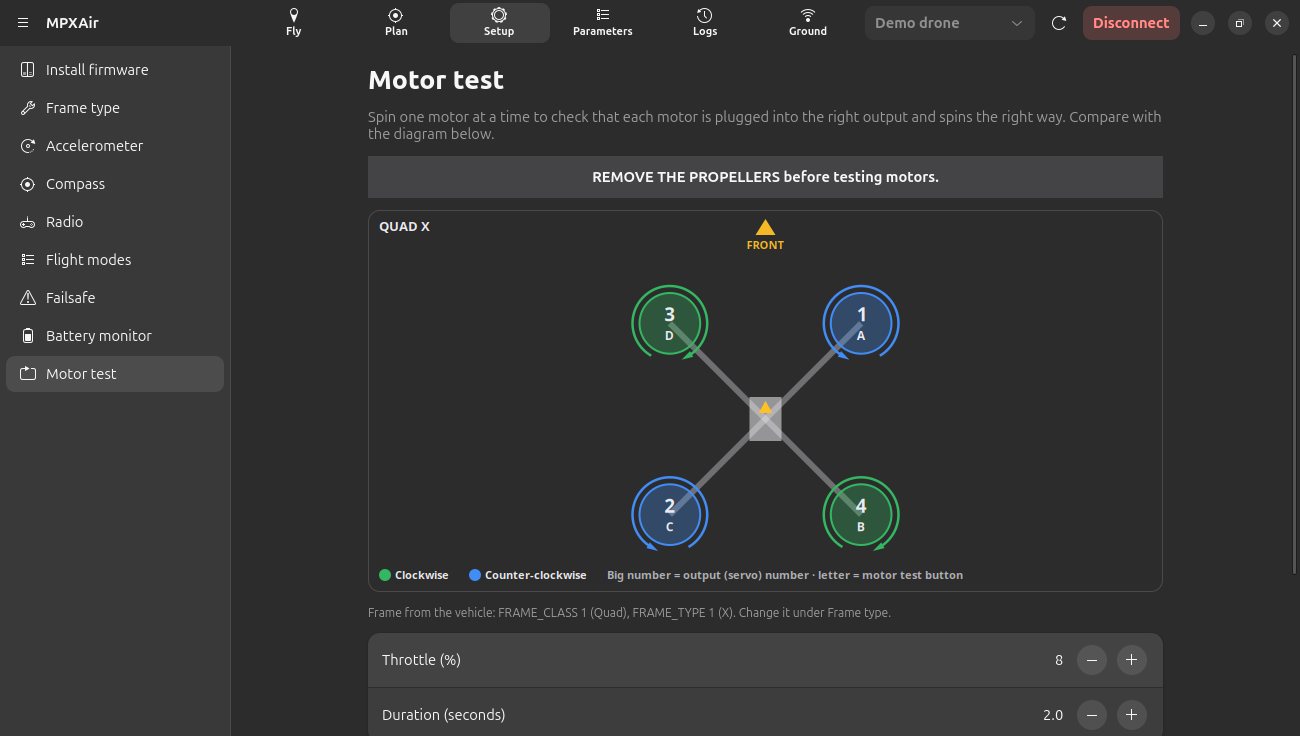
Reading the diagram
- The front of the vehicle is at the top (yellow arrow).
- The big number is the output (servo) the motor must be plugged into.
- The letter is the motor-test button. Letters go clockwise from the front.
- The arrow shows the spin direction looking from above: green is clockwise, blue is counter-clockwise.
- The diagram comes from ArduPilot's motor layout data for your
FRAME_CLASSandFRAME_TYPE. Coaxial frames (Y6, OctaQuad) show the top and bottom motors side by side.
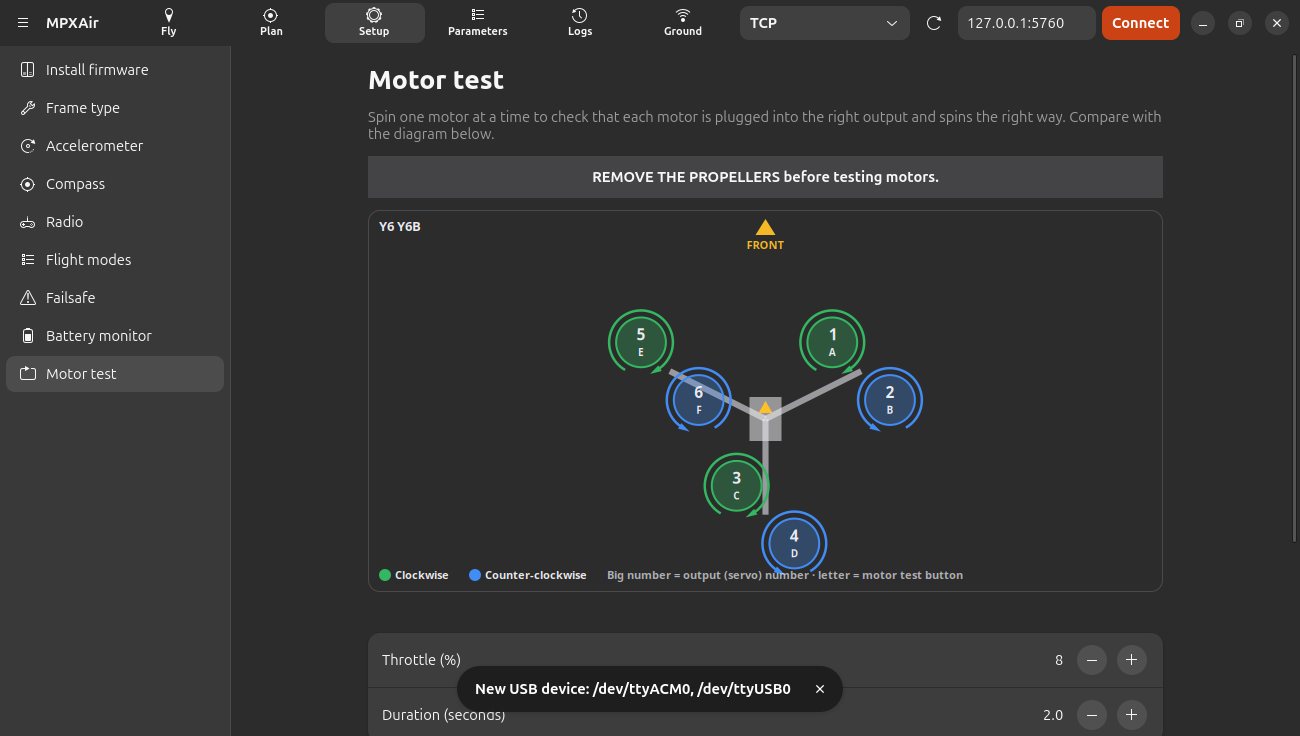
Testing
- Set the throttle (about 5–10 %) and duration.
- Press a letter. That motor lights up in the diagram and should spin.
- If a different motor spins, its wire is on the wrong output. If it spins the wrong way, swap any two of its three motor wires (or reverse it in the ESC settings).
Test all in sequence spins each motor in turn. Stop all stops at once.