 MPXAir docs
Using MPXAir
Logs
Download the aircraft's flight logs, graph anything in them, and replay recorded flights.
Download from the vehicle
Logs → Download from vehicle → List logs shows the logs on the aircraft's SD card.
Select some and press Download selected, or Download all. Missing pieces are requested again automatically.
Logs are saved in ~/Documents/MPXAir/flight-logs. Erase all… clears the SD card.
Review a log
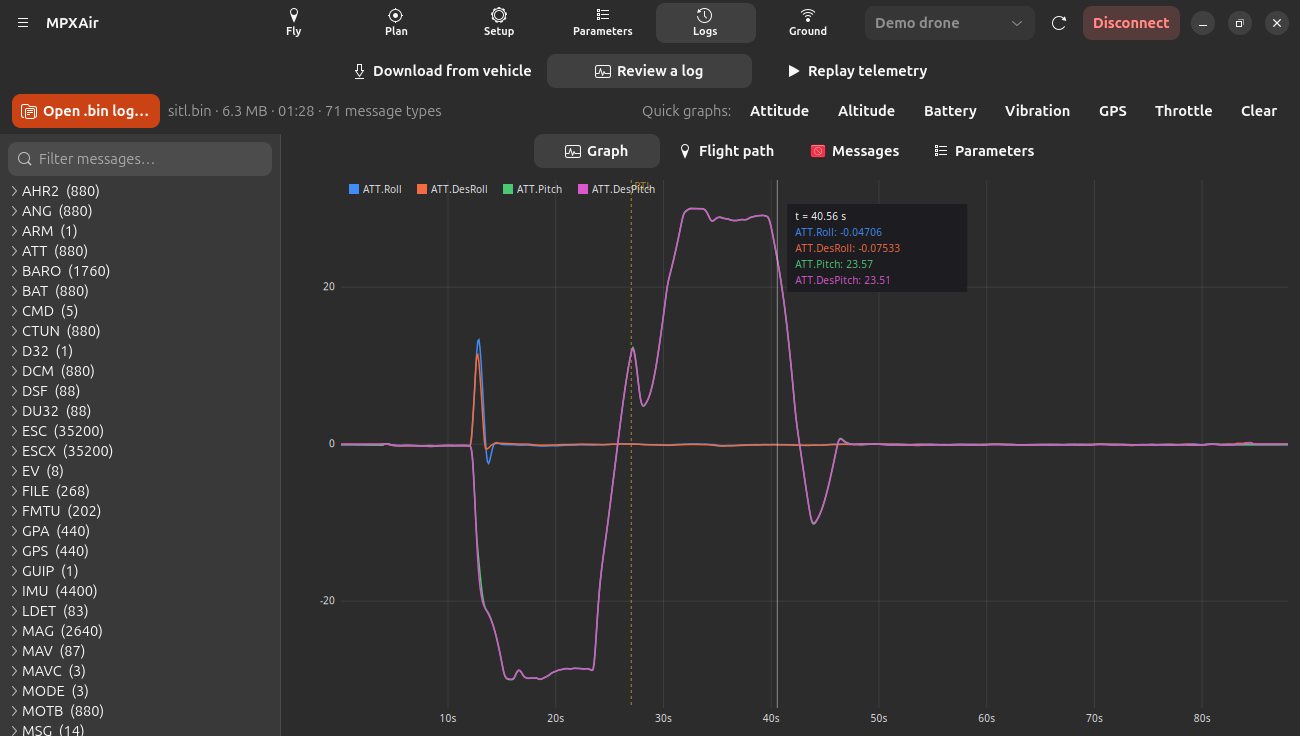
- Open .bin log… (or open one straight after downloading).
- Quick graphs: Attitude, Altitude, Battery, Vibration, GPS, Throttle.
- Or tick any field in the list on the left. Use the filter box to find messages.
- Scroll to zoom, drag to pan and double-click to reset. Hover to read the values. Flight-mode changes are marked.
- Flight path shows the GPS track on the map. Messages and Parameters show what was in the log.
Replay a flight
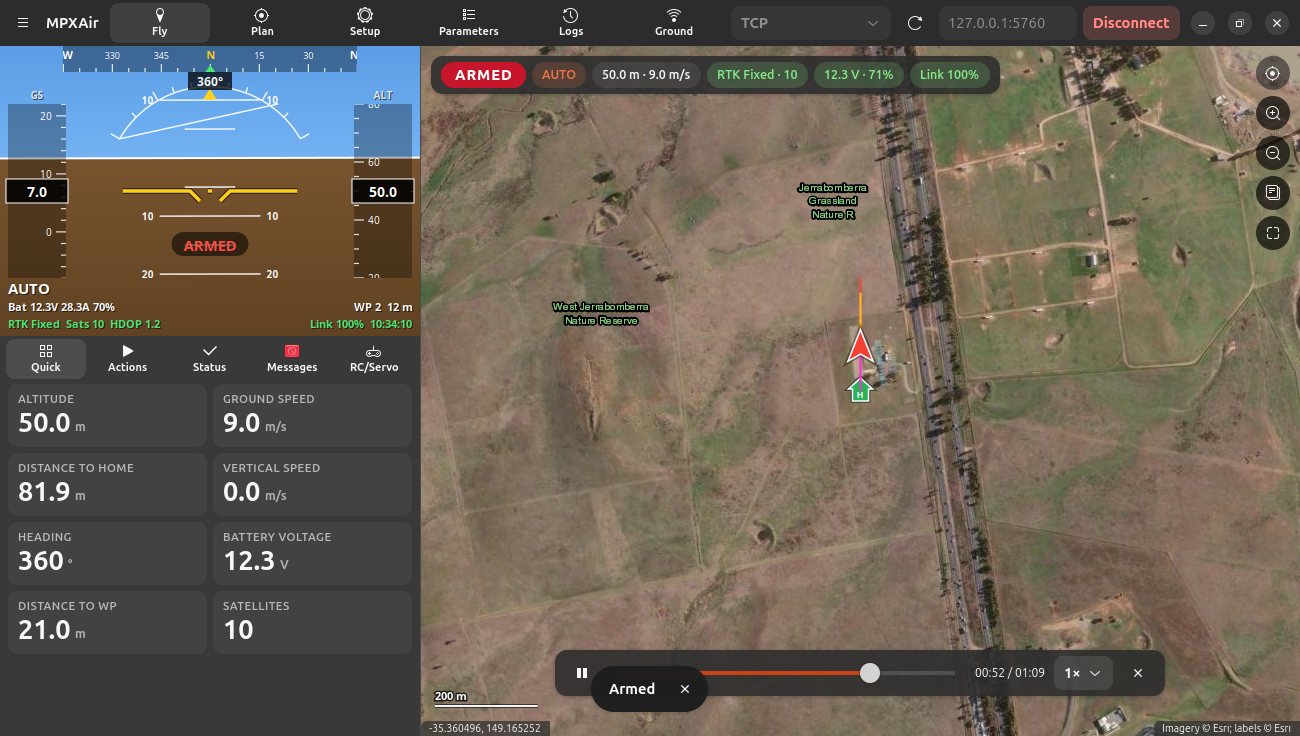
Logs → Replay telemetry plays back a .tlog recording on the Fly screen: the HUD, map and status exactly as they were.
Use the bar at the bottom of the map to play and pause, seek, change the speed (0.5× to 25×) or stop.